3D PRODUCTION FOR DIGITAL TWINS & SIMULATION

NVIDIA Omniverse
and OpenUSD Services

Build the 3D worlds your simulations need.

From individual assets to complex digital environments, CGHERO connects you with specialist 3D talent and can coordinate production around your project.

Specialist talentProduction coordinationScope-led delivery

WHAT WE CAN HELP YOU CREATE

The assets and environments
behind your simulation.

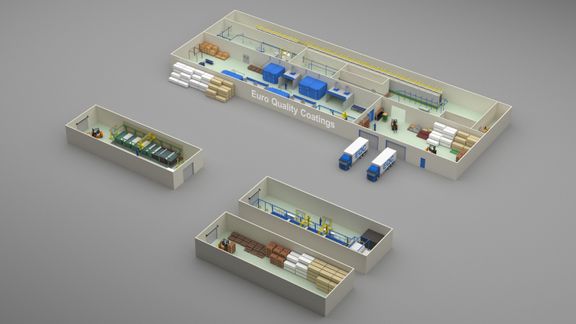
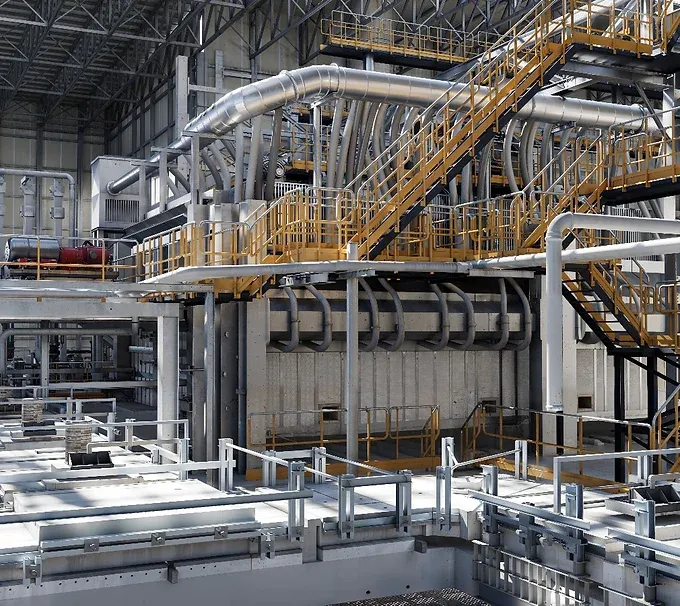
Processing Warehouse & Datacenter Digital-Twin
Portfolio: EVOLVER INTERACTIVE

01 / PRODUCTION

Digital twin environments

Factories, warehouses and other facilities modelled for your digital-twin programme. Scope the layouts, equipment and level of detail your visualisation or simulation needs.

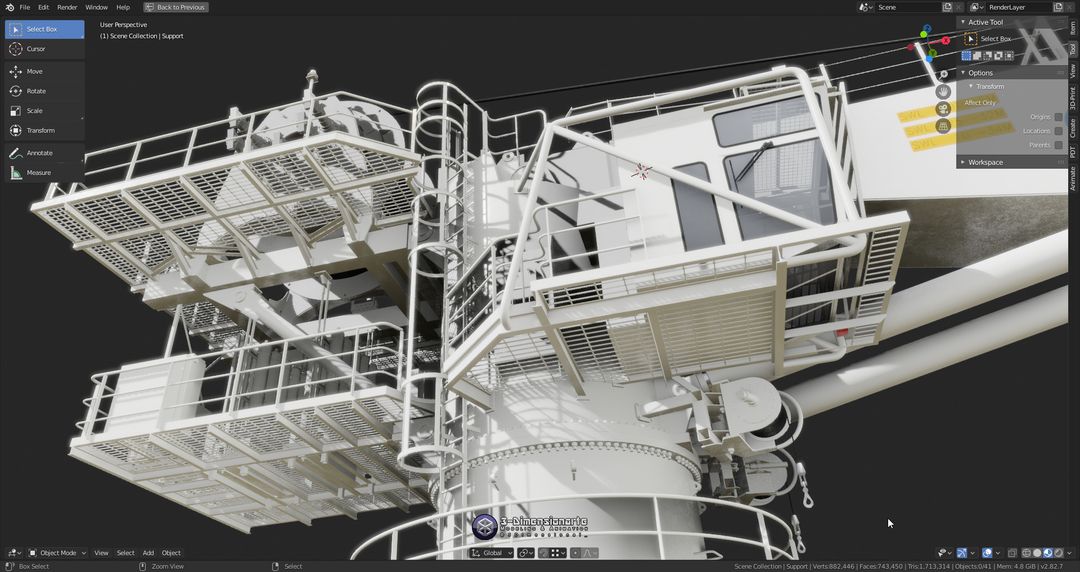
Offshore Knuckle Jib Crane
Portfolio: Armando A.

02 / PRODUCTION

Simulation-ready assets

Equipment, objects and environment assets prepared to agreed requirements. Define geometry, materials, physical behaviour and validation criteria before production.

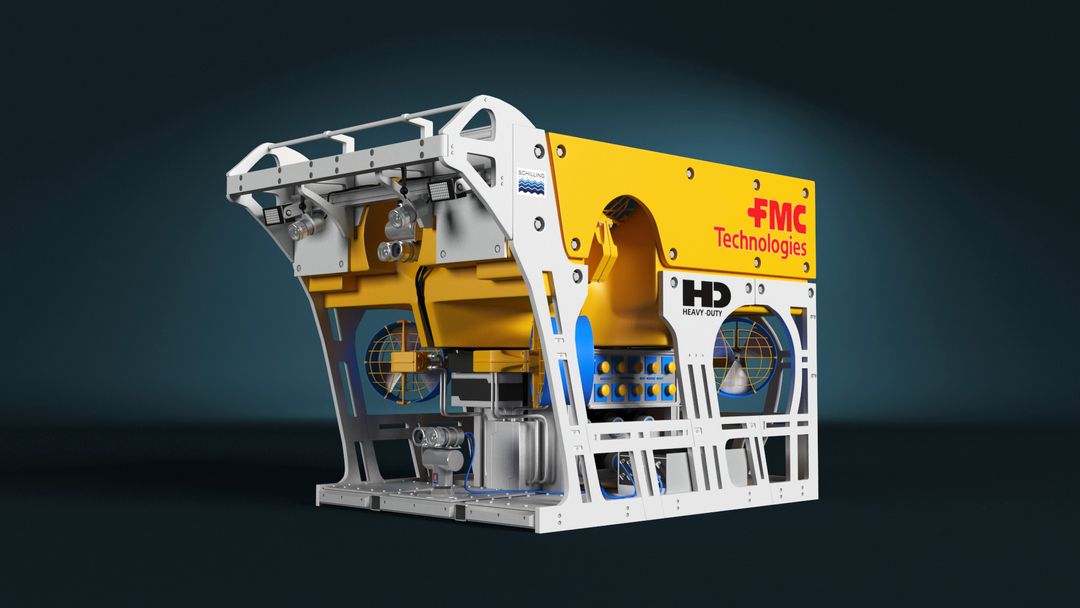
FCM HD ROV 3D model
Portfolio: Dejan L.

03 / PRODUCTION

OpenUSD asset preparation

Prepare existing 3D or CAD-derived content for OpenUSD workflows. Agree conversion, scene organisation, materials, references and packaging around the target application.

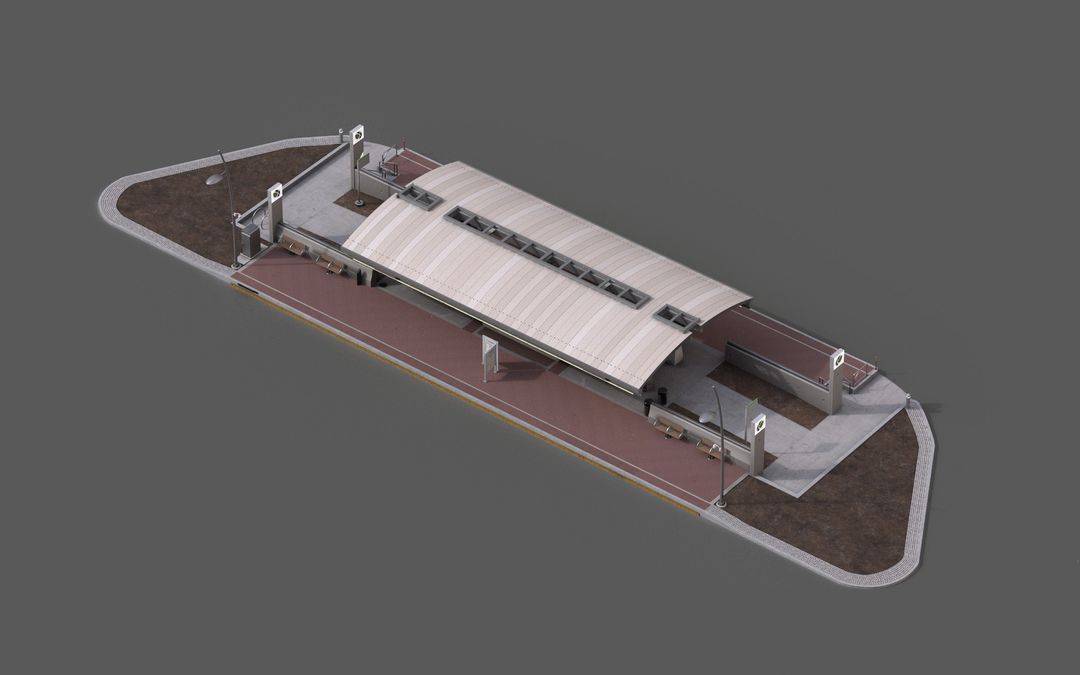
Bus Stop - Asset for Synthetic Data/Video Game
Portfolio: Andrei N.

04 / PRODUCTION

Synthetic-data scenes

Create environments, objects and scene variations for your data-generation workflow. Scene production can include agreed labels and variation requirements; pipeline development and operation are scoped separately.

BUILT AROUND YOUR USE CASE

Your workflow sets the brief.

Robotics teams

Virtual assets and environments for development and testing workflows in tools such as NVIDIA Isaac Sim. Start with the interactions, sensors and scenarios you need to represent.

Industrial teams

Facilities and equipment for digital-twin projects. Align visual detail, asset structure and update requirements with the decisions your team needs to make.

Computer vision teams

Controllable scenes for synthetic-data projects. Specify objects, variation, labels and outputs around your existing generation and evaluation workflow.

MORE THAN A CONVINCING RENDER

What makes an asset
simulation-ready?

Readiness depends on the intended use. Before production, agree which requirements apply and how they will be checked in your chosen software version.

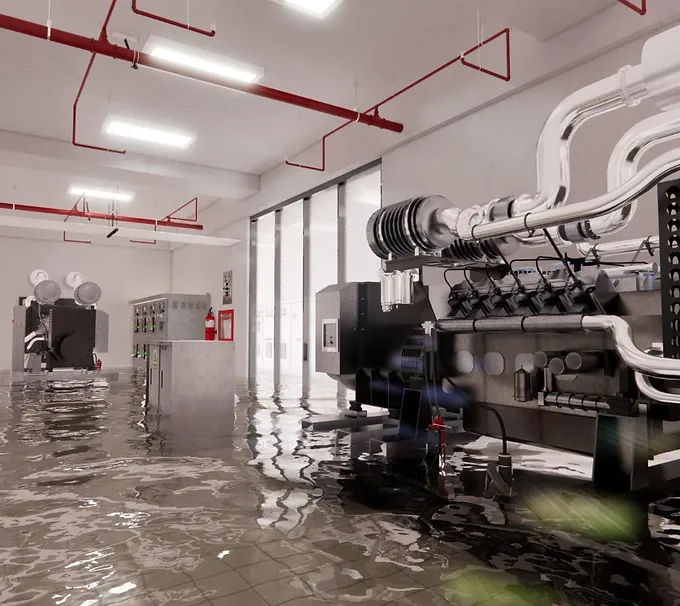
Processing Warehouse and Datacenter Digital-Twin by EVOLVER INTERACTIVE
From the full facility to the individual asset.Processing Warehouse & Datacenter Digital-Twin · EVOLVER INTERACTIVE
Scale & orientation

Consistent units, axes, transforms and placement.

Geometry & materials

Organised meshes, naming, UVs and materials appropriate to the scene.

Physics & interaction

Collision geometry, mass, friction or articulation where the use case requires them.

Labels & metadata

Semantic labels and asset information required by the downstream workflow.

Performance & structure

Agreed geometry and texture budgets, reusable assets and scene organisation.

Validation & handover

Documented checks in the agreed application and version, with source files and dependencies.

The brief defines the required checks; a visually accurate model or USD export alone does not establish simulation readiness. Read NVIDIA’s SimReady guidance ↗

THE RIGHT SUPPORT FOR YOUR TEAM

One specialist.
Or a coordinated production team.

Hire a specialist

Add targeted expertise to your existing team. Define a focused task, review relevant experience and agree the deliverables directly with your chosen specialist.

Let CGHERO coordinate

Discuss a production plan with our team. We can coordinate specialist selection, milestones and reviews around the scope and technical requirements agreed for your project.

Start with a paid pilot: one asset, a conversion test or a small environment. Use the results to confirm the workflow and acceptance criteria before scaling production.

FROM REQUIREMENTS TO HANDOVER

A clear path to production.

01

Define requirements

Share the intended use, target software, source content and scope. Our team reviews the brief and may arrange a call to clarify the production plan.

02

Find the right specialists

Review relevant expertise, availability and costs. Choose individual support or agree a coordinated team and milestones.

03

Produce & review

Review assets and scenes at agreed checkpoints. Resolve technical questions against the brief as production progresses.

04

Validate & hand over

Check the agreed acceptance criteria in the target environment. Deliver the scoped files, dependencies and handover notes.

BEFORE YOU START

Omniverse production,
without the guesswork.

Can we supply CAD or existing 3D models?

Yes. Describe the formats, file sizes, units and condition of your source content. We will review what needs conversion, cleanup, remodelling or material work before agreeing the scope. Share confidential files through an agreed secure route.

What makes an asset simulation-ready?

The requirements depend on the simulation. They may include scale, geometry, materials, collisions, physical properties and labels. We agree the required properties and validation criteria for your target application; compatibility is not assumed from appearance or file format alone.

Can you help with NVIDIA Isaac Sim projects?

Tell us the Isaac Sim version, intended scenario and asset requirements. We can assess specialist fit for producing the necessary content. Robot behaviour, sensor setup, extensions and simulation engineering need to be explicitly included in the scope.

Do you build the whole synthetic-data pipeline?

This service focuses on creating and preparing scene content. Data generation, annotation export, pipeline integration and operation are separate requirements to discuss and validate with the proposed specialists.

Can we start with a small project?

Yes. A paid pilot can cover one asset, a conversion test or a limited environment. Agree the deliverables and acceptance checks, then use the results to plan the next stage.

Can CGHERO coordinate production?

Yes. Discuss your requirements with our team so we can propose the appropriate level of coordination, specialist support, milestones and reviews. The responsibilities and delivery scope are agreed before work begins.

What will we receive?

Handover is scoped around your workflow. It may include OpenUSD assets or scenes, materials and textures, agreed source files, dependency information and validation notes. Confirm file formats, software versions and usage rights in the project agreement.

LET’S DEFINE YOUR NEXT STEP

Build the right world.
Start with the brief.

Tell us what your assets and environments need to do. We’ll review the scope and help identify the right production support.

What happens next?

Our team reviews your requirements. For complex projects, we may arrange a call before inviting specialists to provide availability and pricing.

Tell us about your project

Continue to CGHERO to complete your project submission. Our team reviews your brief before suitable projects are shared with specialists. No specialist is booked at this step.